An AppKit layout bug that got worse in macOS 27

I reported a bug to Apple in May, found while building Alcove. Two OS releases later it still isn’t fixed. It has gotten worse with each one.
The window is a three-pane NSSplitView – sidebar, content, detail – with a search field in the toolbar and a status bar pinned below the split. That is the entire cast.
On macOS 26, you Cmd-Tab away from the main window and back, and the content pane goes blank. The console logs this, once per process:
1
2
It's not legal to call -layoutSubtreeIfNeeded on a view which is already being laid out.
... Break on void _NSDetectedLayoutRecursion(void) to debug. This will be logged only once.
The stack is all AppKit. NSSearchToolbarItemView calls _updateMinWidthConstraints, which goes through NSToolbar animateToolbarUpdatesWithDuration:changes: to layoutSubtreeIfNeeded, from inside the toolbar’s own layout pass, on applicationDidBecomeActive.
Finding what in my code set it off took a while. Apple’s Developer Technical Support (DTS) couldn’t build the full app, so they asked for a new project containing only the code that reproduces it. My first try was a 410-line rewrite from scratch, and it never reproduced. The one that worked copied the real window, toolbar, and split view code almost verbatim, with the data layer stubbed out.
The trigger is the status bar below the NSSplitView. I deactivated the split’s bottom constraint, re-pinned the split to the top of the bar, and let the bar size itself with intrinsicContentSize. Put that in a window with an NSSearchToolbarItem and you get the recursion.
In June, DTS confirmed it’s a bug in NSSearchToolbarItem and that there’s no public API to control it. It’s FB23123206.
Then came macOS 27. On the betas the whole window went blank after the Cmd-Tab: sidebar, content, detail pane, status bar, everything but the toolbar. On the 27.0 release it usually doesn’t wait for the Cmd-Tab. In 5 of 6 clean launches the window came up with only the toolbar drawn. Cmd-Tabbing away and back doesn’t fix it. It moves the sidebar’s first row up under the traffic-light buttons and leaves the rest of the window empty:
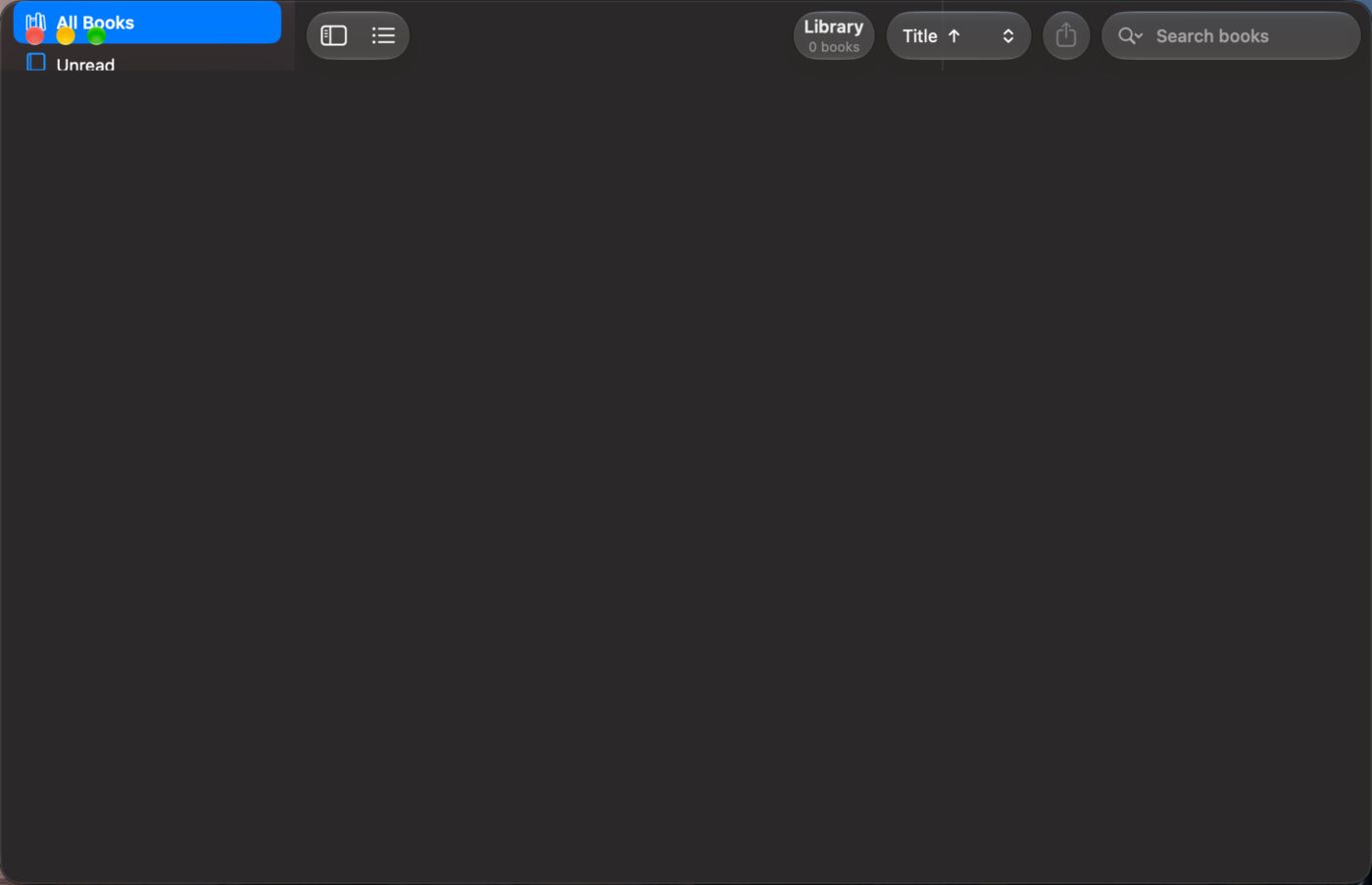
Three things will fool you if you try to reproduce this. The split view’s content has to be empty, because on the beta a window with content in it rendered fine and looked like a fix. You have to delete the app’s saved state in ~/Library/Saved Application State/ between runs, because a window restored from an earlier failed run always came back blank. And the message only logs once per process, so the message going away doesn’t mean the bug did. That one fooled me, and my first narrowing of the trigger was wrong because of it.
The workaround is to leave the split view’s bottom constraint pinned to the content view and only change its constant. The bar gets pinned to the bottom with an explicit height constraint:
1
2
3
4
5
6
7
8
NSLayoutConstraint.activate([
    bar.leadingAnchor.constraint(equalTo: view.leadingAnchor),
    bar.trailingAnchor.constraint(equalTo: view.trailingAnchor),
    bar.bottomAnchor.constraint(equalTo: view.bottomAnchor),
    bar.heightAnchor.constraint(equalToConstant: StatusBar.height),
])
// Shorten the split by the bar's height WITHOUT re-pinning it.
splitBottomConstraint?.constant = -StatusBar.height
With that, the window rendered correctly on all three clean launches I tried on the 27.0 release. Here it is after the same clean launch and the same Cmd-Tab as the broken one above:
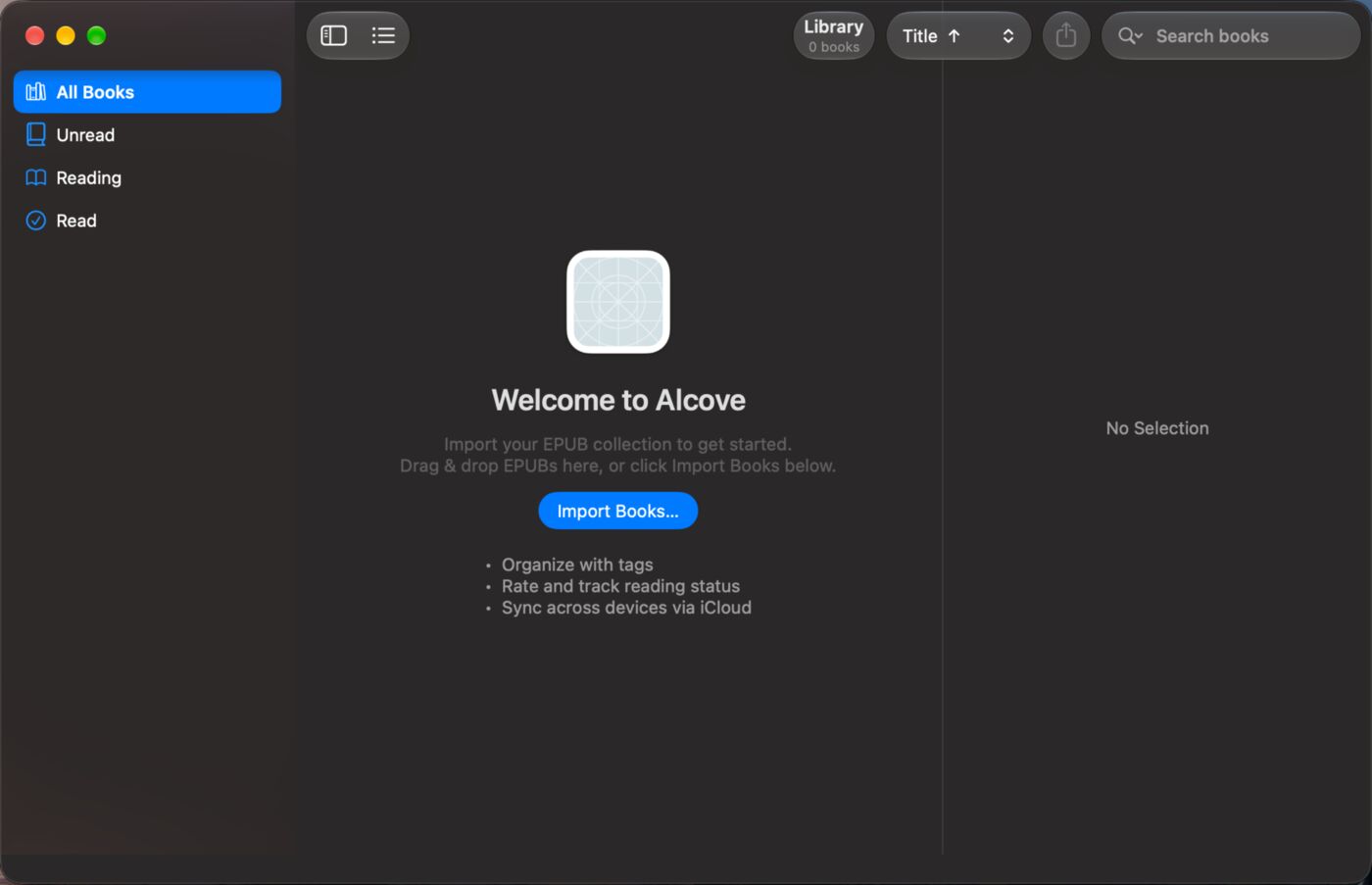
The recursion message still gets logged every launch. The workaround hides the symptom, but the bug is still there.
The Alcove alpha release ships the workaround. I’d like to be able to delete it.